One app for the whole week, not just one recipe.
Save it, learn to cook it, see the macros if you want them, and swap ingredients for more protein. Here is how each part works.

Plan the whole week
Tap once and ReciPop fills seven days of breakfast, lunch and dinner from a catalogue of more than 34,000 recipes. It reads the answers you gave it, how long you have on a weeknight, which appliances you own, anything you do not eat, and plans only from what fits. The week is built on your phone, so it appears instantly and works with no signal.
- Seven days of breakfast, lunch and dinner in one tap.
- Filtered by the time you actually have and the appliances you own.
- A dietary preference is never broken, even to fill a gap.
- The whole week becomes one grocery list, scaled to your household.
You answer once
Every meal planner asks something before it plans. Most ask what diet you are on and stop there. This is the whole of ReciPop's setup, recorded from the shipped app and not sped up: the appliances you own, the time you have on a weeknight, how many you are feeding, what you cannot eat, where you shop and what you want to spend.
It takes about a minute and you do not do it again. Everything after it is the answer to those questions, which is why a plan never suggests something needing a stand mixer you do not own.

Save from anywhere
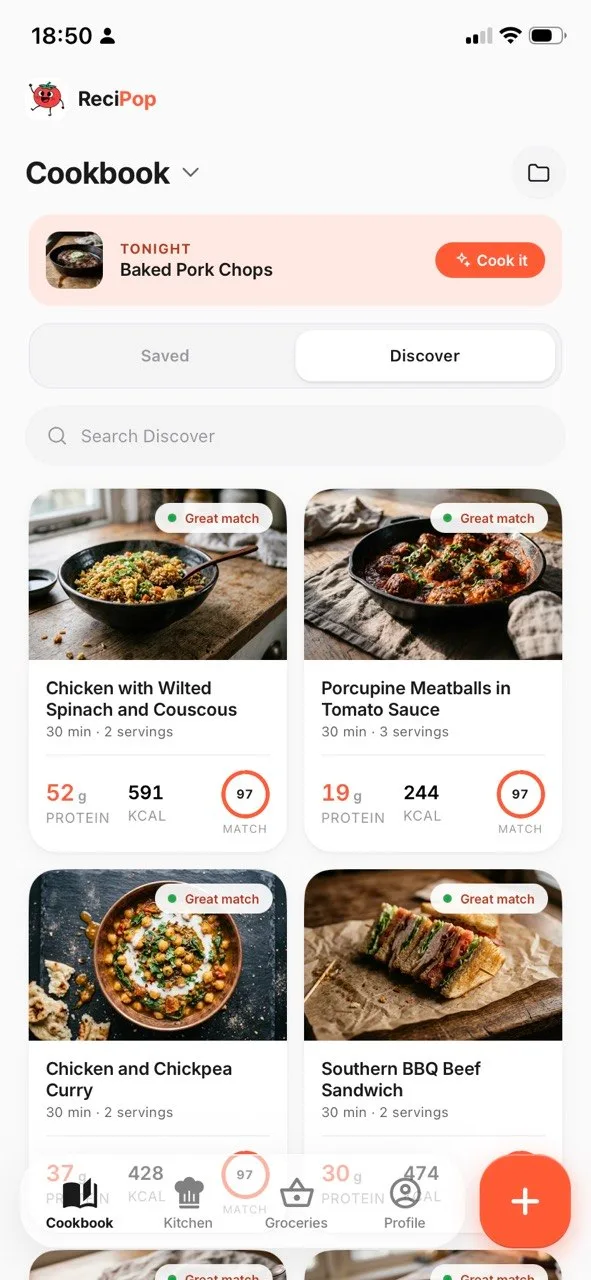
Share a link from any app or paste it in. ReciPop reads the ingredients, pulls a clean photo, and works out per-serving macros, then drops the finished recipe into your cookbook. The share sheet path means you never leave Instagram or TikTok to save something, and the paste path is there when you already have a URL. Either way it lands in the cookbook alongside everything else you have saved, as a card with its own photo and its macros already worked out.
- Share sheet import from social apps and Safari.
- Paste-a-link import inside the app.
- Real dish photo, not a wall of text.
- Clean, scaled ingredient list.
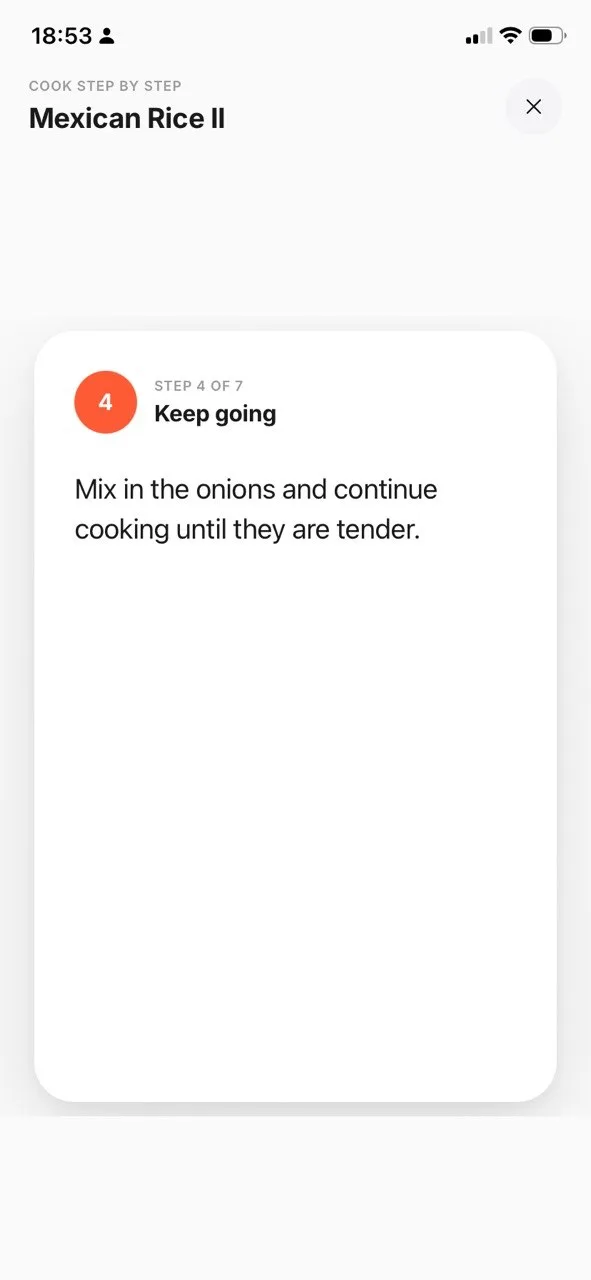 Step 4 of 7
Learn to cook it
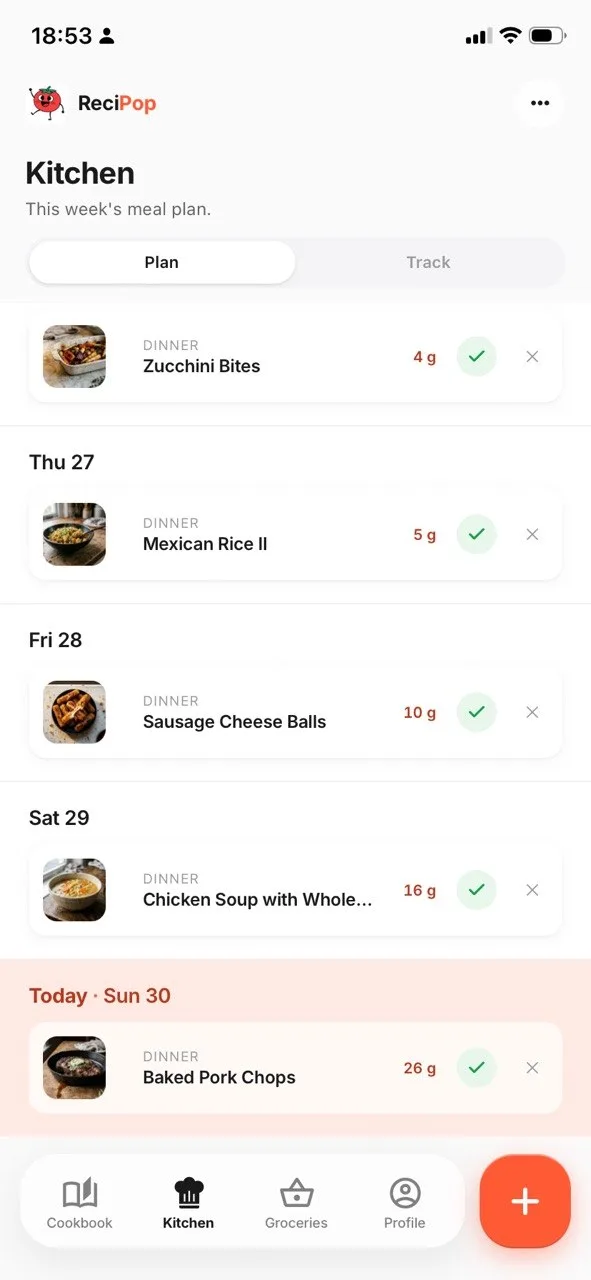
Recipes open into swipeable step cards with prep and cook time at the top. Cook mode blows one step up to full screen so you can follow along with messy hands. The Kitchen tab lets you place recipes onto days of the week, so your cook nights are planned before you are hungry.
- Swipeable step-by-step cards.
- Full-screen Cook mode.
- Weekly plan in the Kitchen tab, with today highlighted.
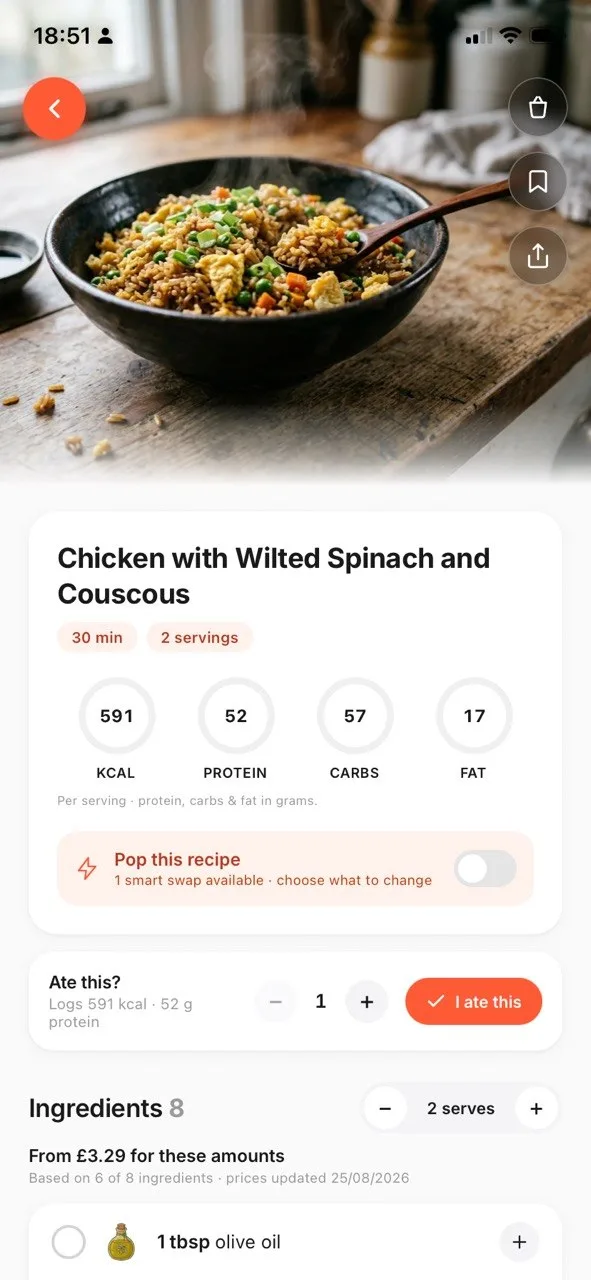 1 smart swap available
Adapt the macros
Set a goal once (cut, maintain, bulk, or high-protein) and every recipe gets a Goal Match ring against your daily target, plus a per-macro breakdown on the recipe screen. Or skip goals entirely and treat the macros as plain nutrition context. Targets are editable any time.
- kcal, protein, carbs, and fat per serving.
- Goal Match ring on every card.
- Per-macro delta breakdown on the recipe screen.
- Dietary preferences that label matching recipes without filtering them out.
Per-serving effects are approximations, shown as estimates.
Pop it for more protein
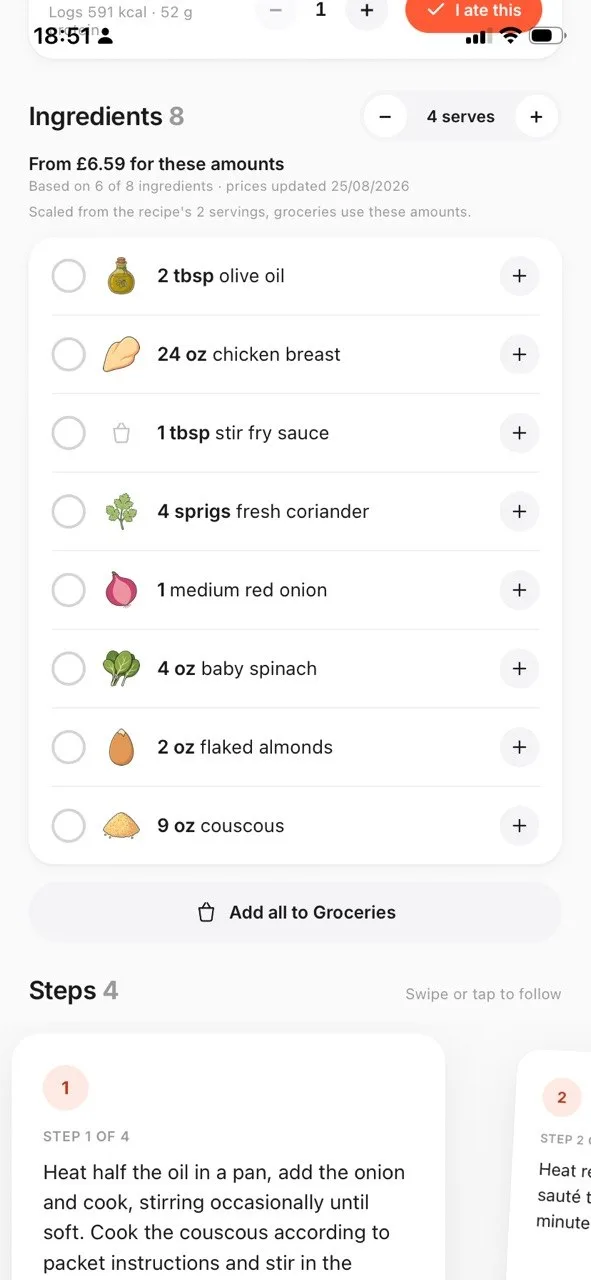
Tell ReciPop whether you are after more protein, fewer carbs, or less fat, and it rewrites the ingredient list with classic swaps: Greek yogurt for sour cream, chickpea pasta for regular, cauliflower rice for white, light crème fraîche for heavy cream. Each swap shows its approximate per-serving effect, so you can see the trade before you commit to it.
The swaps are a fixed table, worked out in advance and applied on your phone. No network call, and the same recipe gives the same result every time. Grocery adds follow whichever version you are looking at.
- Goals for more protein, fewer carbs, or less fat.
- Every swap shows its approximate macro effect.
- Instant and offline, because the table lives on your device.
- Swap back at any time. The original is never overwritten.
 45 items from 8 recipes
Groceries that sort themselves
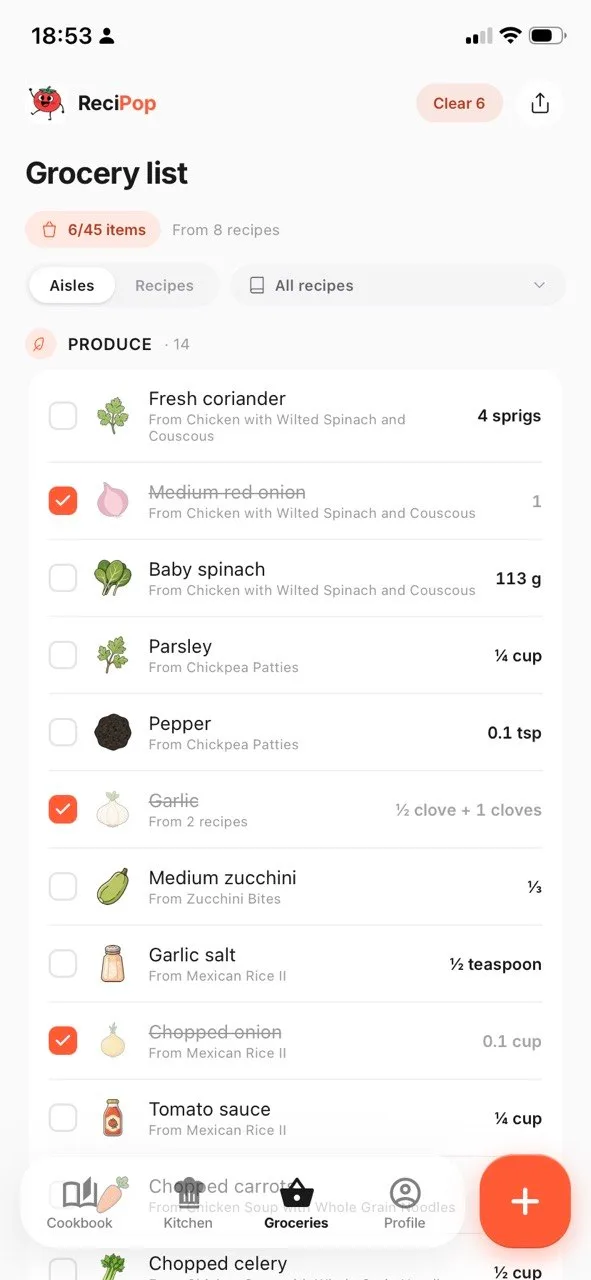
Tap the basket on any recipe to send its ingredients to an aisle-grouped list. Choose grams or ounces. Tick items off as you shop. The list persists on your device between visits.
- Aisle grouping: produce, protein, dairy, pantry.
- Grams or ounces, your choice.
- Tick items off as you shop.
- Persists on your device between visits.
Plan it, shop it, cook it.

Free to download, with an optional subscription. What it costs, Terms of Use and Privacy Policy.